
The right fields, the right price and the right label for every channel
Schedule feed-specific discounts, write internal labels and custom labels to products, and map the fields a channel requires to your product tags. See what is missing with the quality score, and protect your feed address with a key.
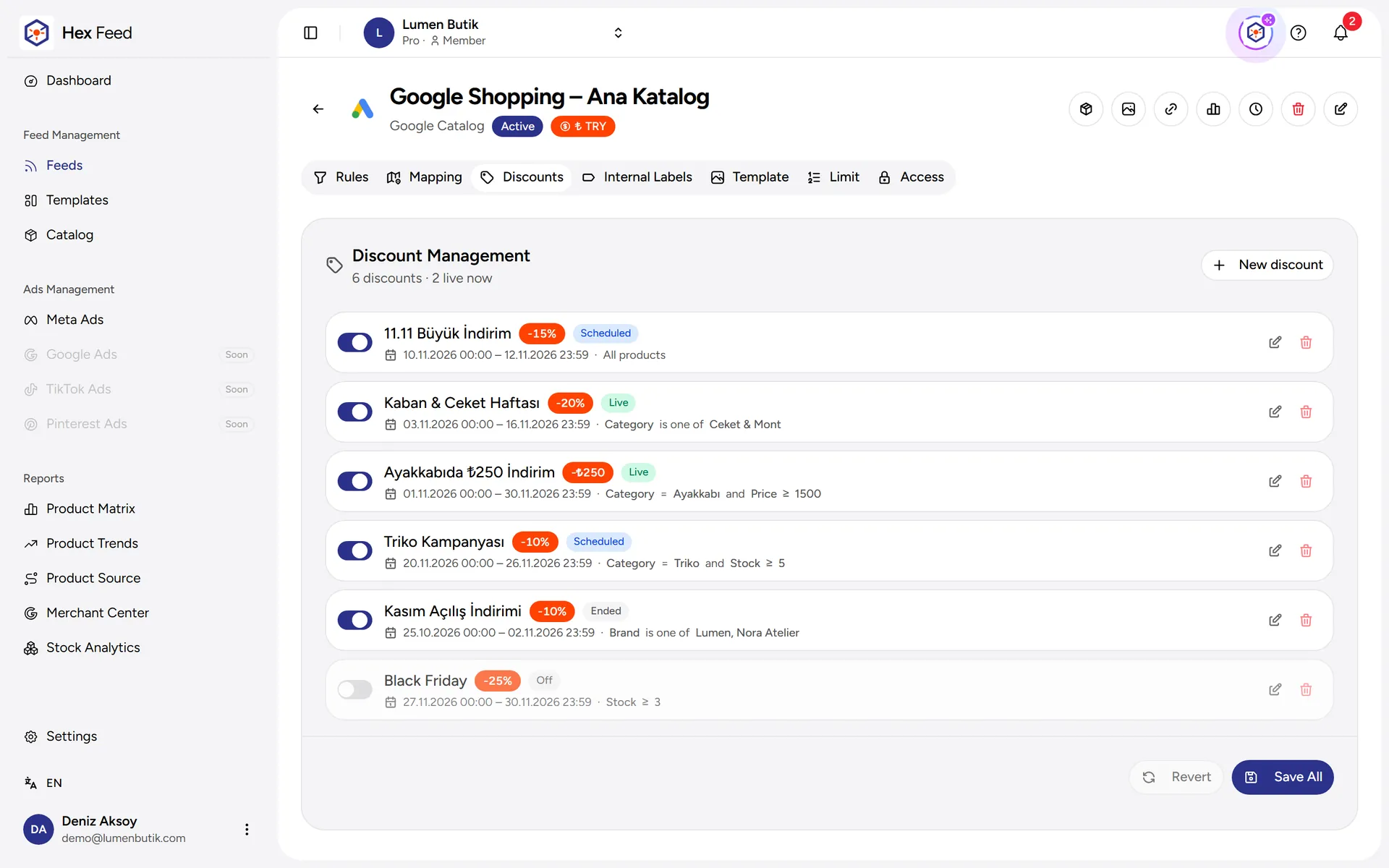
- A discount in just one feed, without touching the store price.
- Ready labels for Meta product sets and Google campaigns.
What can you do?
Everything Feed Enrichment offers.
Feed-specific discount
Apply a percentage or amount discount, with a date range and product rules, only in the feed you choose.
Internal labels
Write internal labels such as 'best seller' or 'low stock' to products that match the rules; use them in Meta product sets.
Custom label
The products of campaign feeds are written to the custom_label field in the main feed; split your Performance Max and Shopping campaigns with them.
Field mapping
Map fields such as gender, material, age group and size system to your product tags or to a fixed value; add Google product_detail rows.
Quality score
The products in the feed are analyzed; issues such as a missing GTIN or a short description are listed with sample products.
Protected address
The feed address is protected with a username and key; the access logs show who fetched the address and when.
Advantages
Campaign-ready feeds
Thanks to labels and custom label fields, you do not need to group your products by hand in the ad platform.
Controlled discounts
When you schedule a discount for one channel you do not change the price in the store; when the discount ends, the feed returns to the old price by itself.
Secure sharing
Your feed address is open only to platforms that know the key.
Frequently asked questions
Other features
Manage your ad budget with data-driven decisions
Build rules based on stock, size availability, price and 7–90 day Google Analytics (GA4) sales and view data. Include only the products with high sales potential in your feeds.
Image TemplatesDesign feed templates with drag and drop
Customize your product images with a no-code canvas editor. Add price tags, discount badges and brand logos.
Product MatrixSee which products sell and which ones sit
Split your products into four groups (Stars, Opportunities, Hidden Gems and Underperformers) by comparing Google Analytics 4 view and purchase data with your store's median values. Use these groups in feed rules to advertise the right products.
Stock ReportsFocus your ad budget on products you can sell
Automatically remove products with only one size left or a low stock availability rate from your feeds. Direct your budget to products that have all sizes available and real conversion potential.
Merchant Center ReportSee the status of your products on Google on one screen
Track disapproved and limited products in Google Merchant Center, the most common issues, your price difference against the market price, and the last 30 days of impressions and clicks together.
Google Analytics (GA4) ReportSee which product sells from which channel
Connect your Google Analytics 4 property; each product's view, add-to-cart and purchase data arrives in the panel every night together with the traffic source. Tell apart which products the organic, paid, social and direct channels sell.
Meta Ads ReportTie your Meta ad spend to sales
Compare the spend, revenue, ROAS, cost per sale, CPM, CPC and CTR of your Facebook and Instagram ad accounts with the previous period. See, against your targets, which campaign makes money and which one burns budget.
Google Ads ReportSee Google Ads performance alongside your products
Connect your Google Ads account; campaign and ad group level cost, impressions, clicks, conversions, conversion value and ROAS arrive in the panel every night. For Shopping and Performance Max campaigns, see which products pay off and which spend without converting.
TikTok Ads ReportTrack your TikTok ad performance in one panel
Connect your TikTok advertiser account; campaign, ad group and ad level spend, impressions, clicks, conversions, purchase value, ROAS and cost per sale arrive in the panel every night.
Hex AI AssistantThe assistant that knows your store's data
Hex AI answers your questions by looking at your store's catalog, feeds, analyses and Meta ads data. It shows the steps it takes and does not apply the changes it suggests without your approval.
Ready to get started?
Try it free for 14 days; all features are available during the trial. No credit card required.
Going to use it with AI? MCP setup