
Every step from your product data to ad revenue, in one panel
HexFeed pulls your store's products, generates the right feed for every ad channel, prepares your images and shows which products sell. All 31 features are listed below; during the 14-day trial you can try every one of them with your own store.
Connect your store and the data comes in by itself
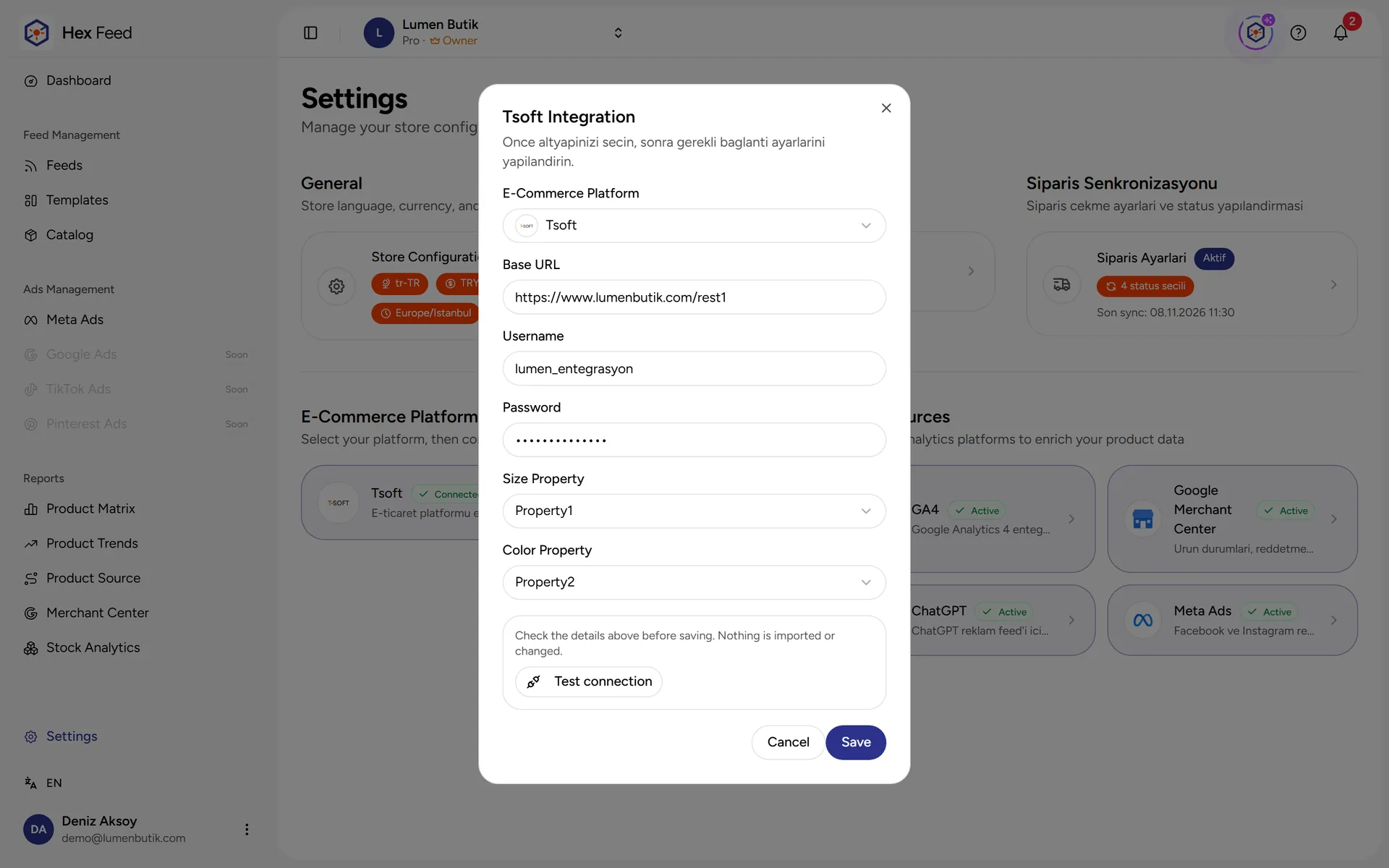
E-commerce platform integration
T-Soft, Ticimax, Shopify and ikas stores are connected with their API credentials; product, variant, stock, price, category and brand data is pulled automatically.
DetailsAutomatic sync
Product, stock and price data is updated by itself at the frequency you set, between 1 and 24 times a day.
Order sync
Orders are pulled from the store; you choose which order statuses are included. Real order data is used in the dashboard sales chart and in reports.
Google Analytics 4 connection
Product-level view, add-to-cart and purchase data is brought into the panel every night together with the traffic source.
DetailsGoogle Merchant Center connection
With the Merchant ID, the approval status of products, disapproval reasons, market price comparison and 30-day impression/click data are fetched every night.
DetailsCurrencies and exchange rates
The main currency and the additional currencies used in feeds are defined; exchange rates are entered by hand or fetched automatically.
Sync logs
For every product, stock, order, category and brand sync, the number of processed, added, updated and failed records and the duration are listed.
Your products, together with their data
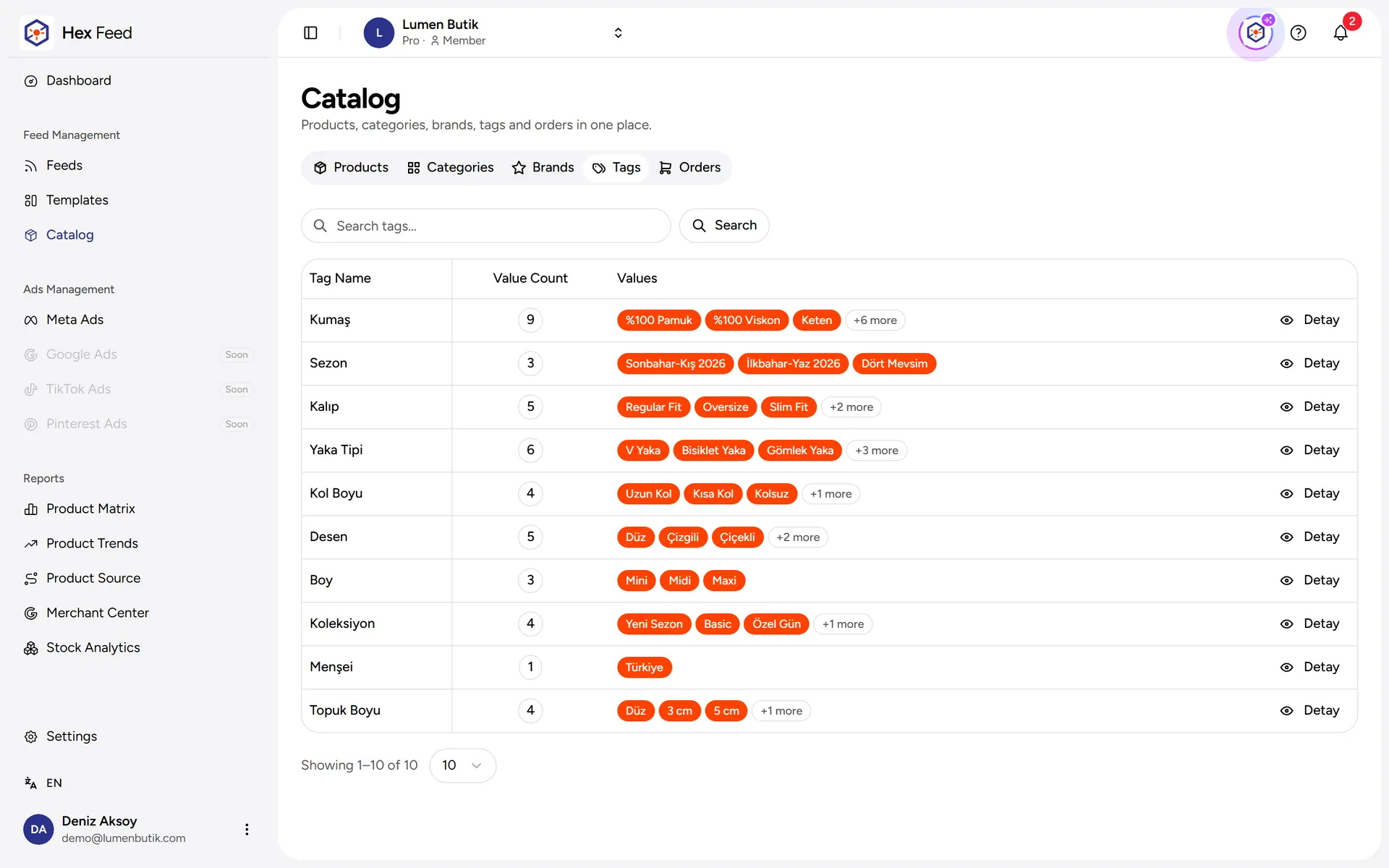
Product tags
Product attributes such as fabric, season and fit are collected as tag groups and can be mapped to feed fields.
The right product list for every ad channel
Multi-channel feeds
Separate feeds for Google, Meta, TikTok, Pinterest, Criteo, Cimri, Akakçe, Segmentify and ChatGPT; as many feeds per channel as you like.
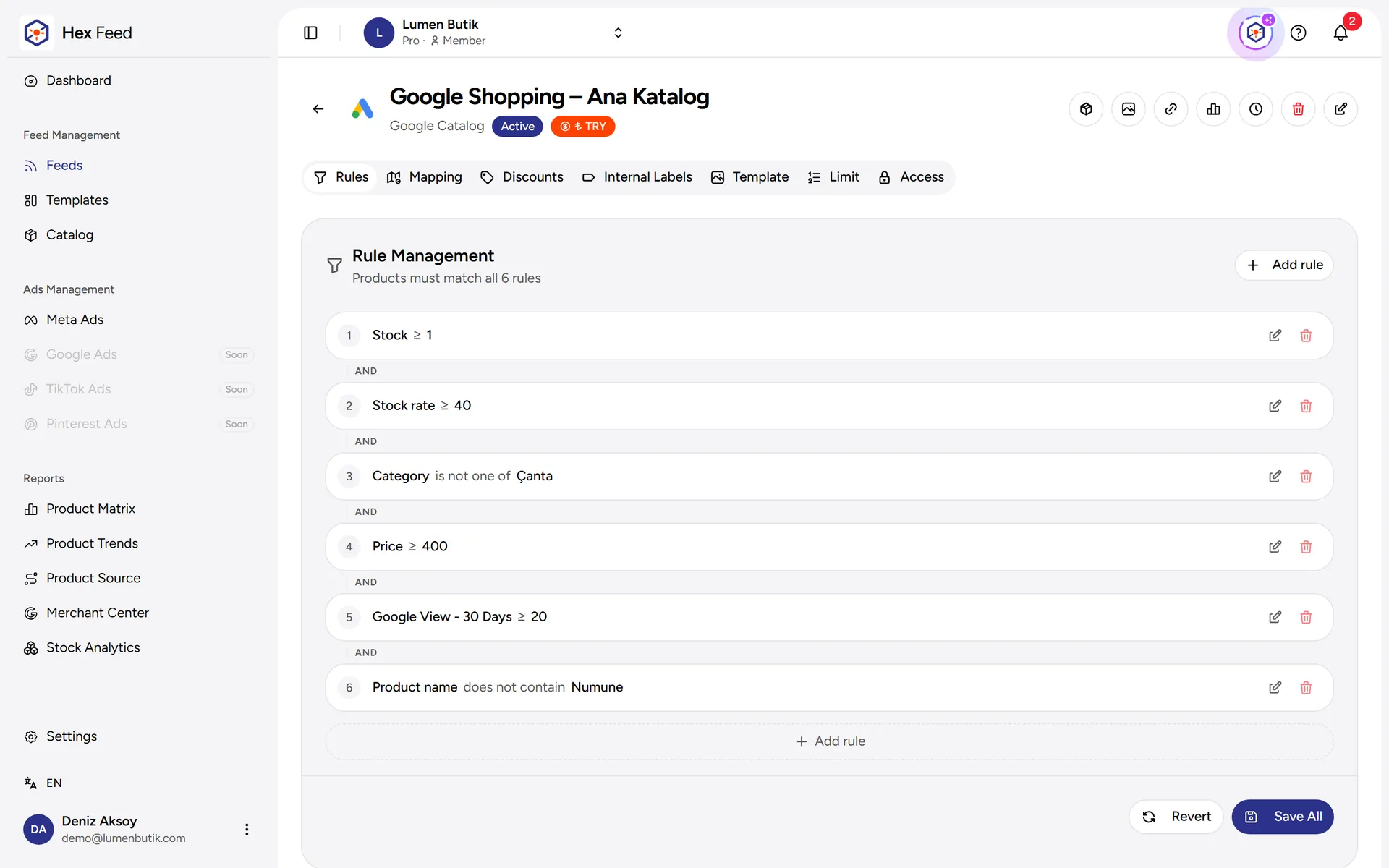
DetailsRule-based filtering
Products are filtered by stock, size availability, price, category, brand, tag and GA4 metrics; the rules run again on every sync.
DetailsFeed field mapping
Fields such as gender, material, age group and size system are mapped to tag groups or to a fixed value; Google product_detail rows are added.
DetailsFeed-specific discount
A percentage or amount discount valid in only one feed is scheduled with a date range and product rules.
DetailsInternal labels (Meta)
Internal labels such as 'best seller' or 'low stock' are written to products that match the rules; they are used in Meta product sets.
DetailsFeed quality score
The products in the feed are analyzed; the quality score and issues such as a missing GTIN or a short description are listed with sample products.
DetailsTitles and descriptions with AI
Coming soonRewriting the product title and description for the feed with a template or with AI. Its tab in the panel is temporarily closed.
Ad images draw themselves from product data
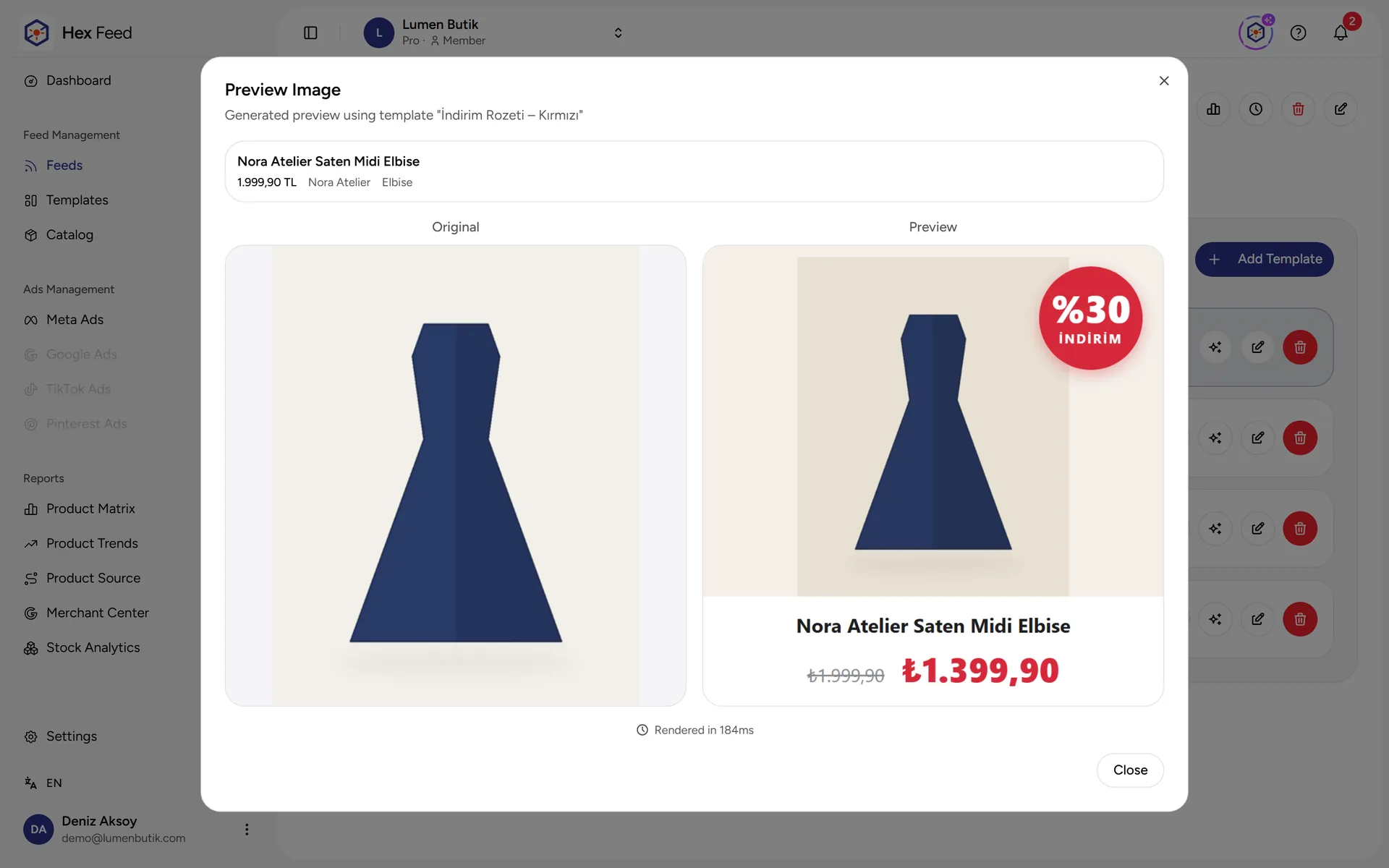
Image template editor
Templates are designed on a canvas with text, shapes and images; product name, price, list price and discount rate are added as placeholders.
DetailsAutomatic image generation
Once a template is linked to a feed, each product's image is generated with its own price and discount; it is regenerated when the product data changes.
Details
Which products sell and which ones sit
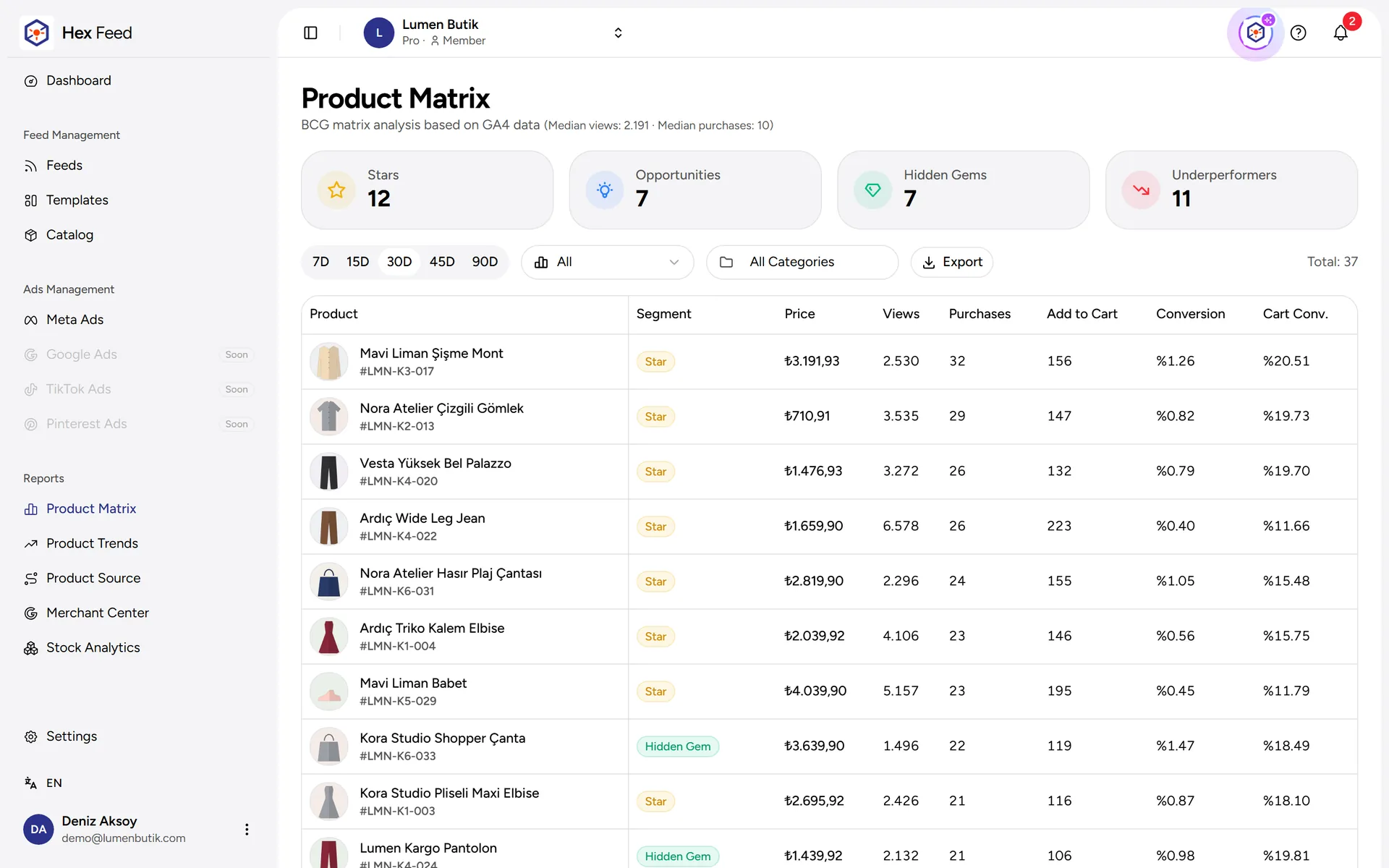
Product matrix
Products are split into four groups by GA4 views and purchases: Stars, Opportunities, Hidden Gems and Underperformers; the group can be used in a feed rule.
DetailsProduct trends
Short-period and long-period averages are compared, and rising, falling and steady products are marked.
DetailsProduct source (channel breakdown)
Each product's purchase, view and cart values are broken down by GA4 channel groups (organic, paid, social, direct…).
DetailsDead stock
Products that have stock but did not sell in the selected period are split into levels by the time since their last sale; the stock value tied up is shown.
DetailsStock risk analysis
For products with demand, size availability or stock quantity is tracked; the stock-out risk is classified as critical/warning/watch, with store-specific thresholds.
DetailsSegments and shelf life
Saved product groups are tracked with their daily sales rate and how many days the current stock will last; segments can be used in feed rules.
DetailsMerchant Center report
Disapproved and limited products, the most common issues, the difference against the market price and 30-day impressions/clicks on one screen.
Details
Tie ad spend to sales
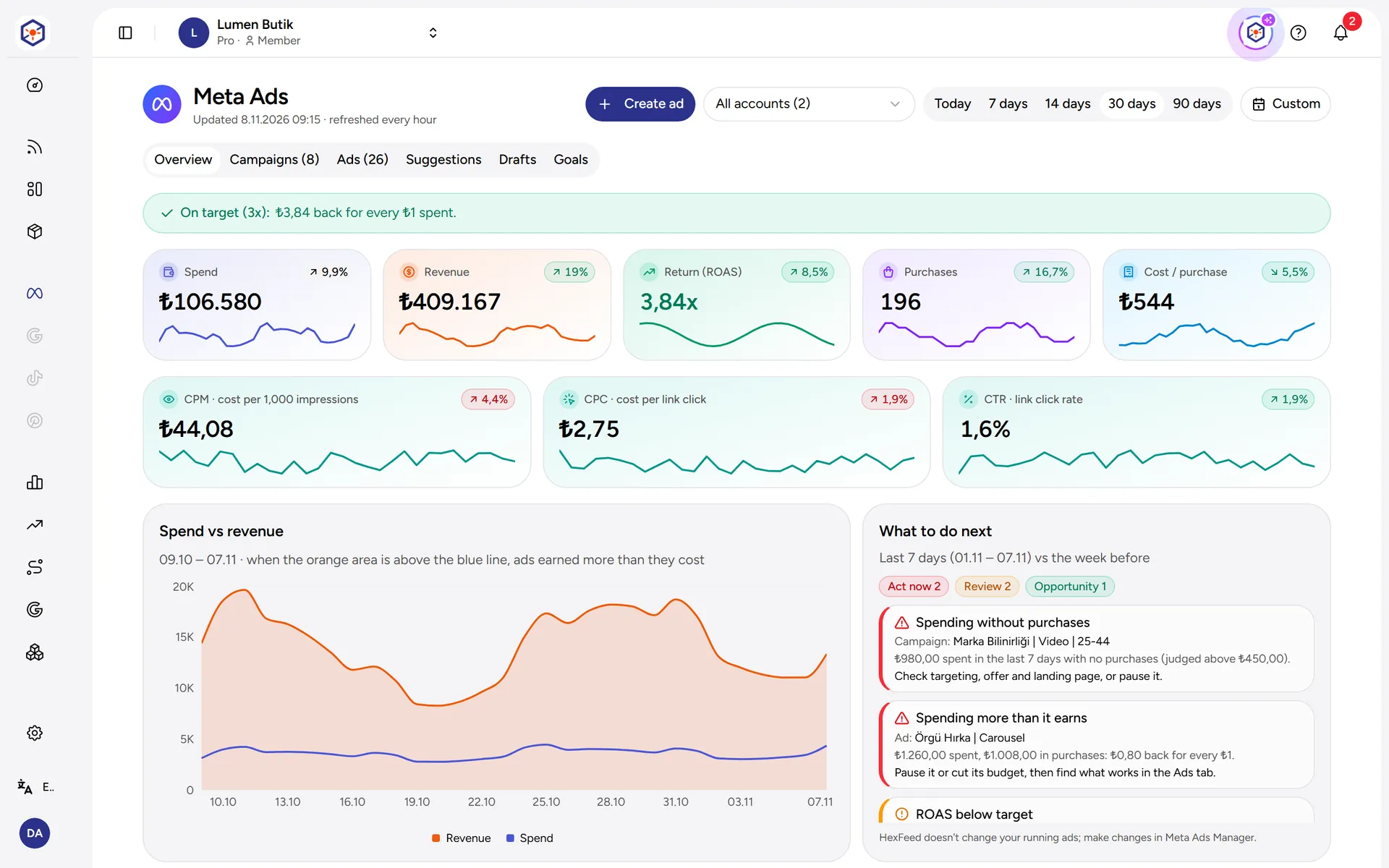
Meta ads report
Spend, revenue, ROAS, cost per sale, CPM, CPC and CTR of the connected ad accounts compared with the previous period; with campaign and ad breakdown.
DetailsMultiple ad accounts
Multiple Meta ad accounts can be connected to one store; the report can be viewed per account or combined.
DetailsAd targets and alerts
A ROAS target, a cost-per-sale limit and a daily budget limit are entered; the report colors and the 'What to do next' alerts are derived from these. It does not interfere with the ads.
DetailsRecommended ads
Suggestions for ads to scale and categories to try, based on Meta results, Google sales and stock distribution; ad copy can be generated.
Details
The assistant that knows your store
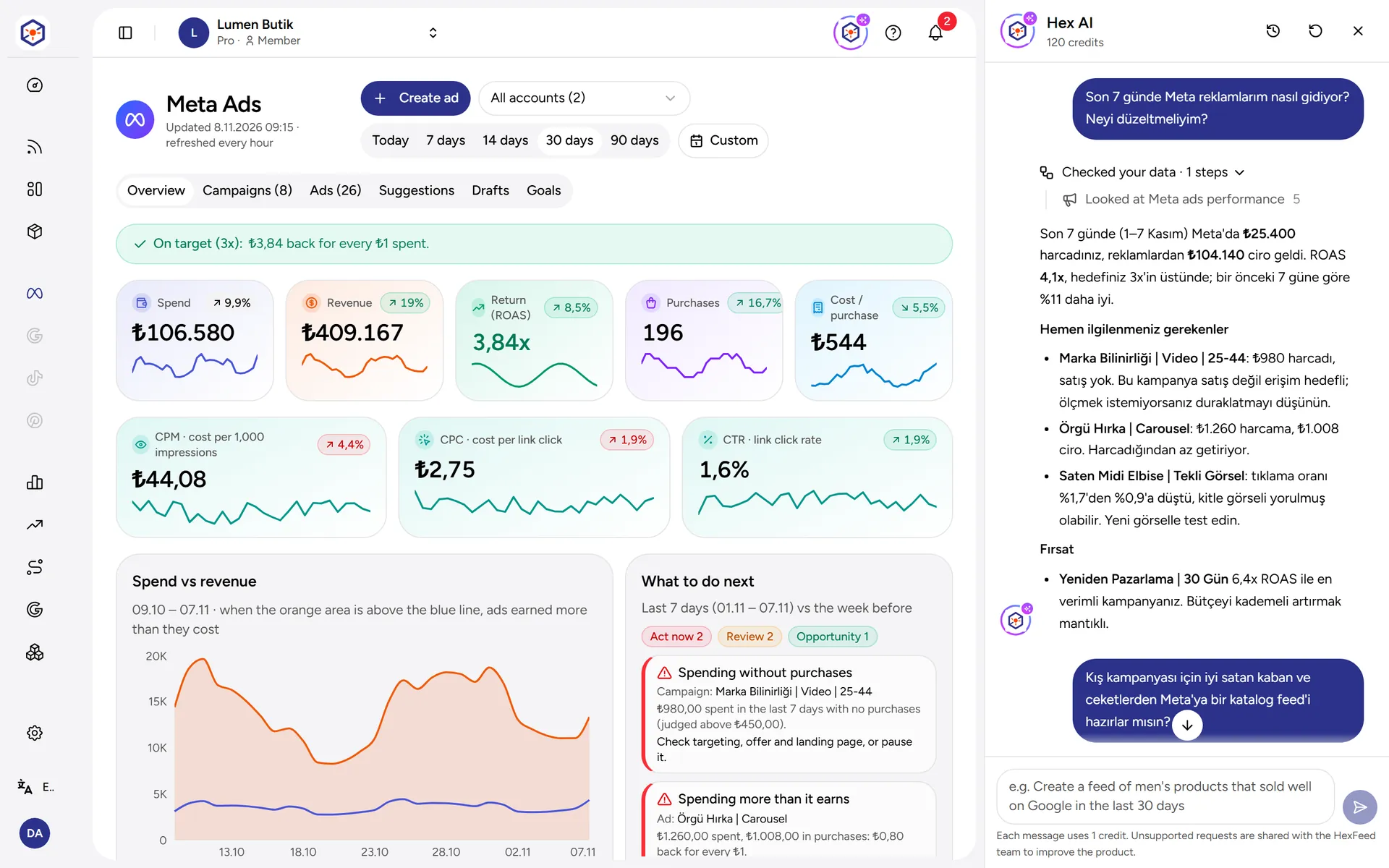
Hex AI assistant
It answers questions by looking at the store's own data and shows the steps it takes; it only talks about HexFeed topics. It uses credits per message.
DetailsFeed suggestions with Hex AI
The assistant queries categories and products and prepares a feed suggestion with its rules; nothing changes without approval.
Details
Work together with your team
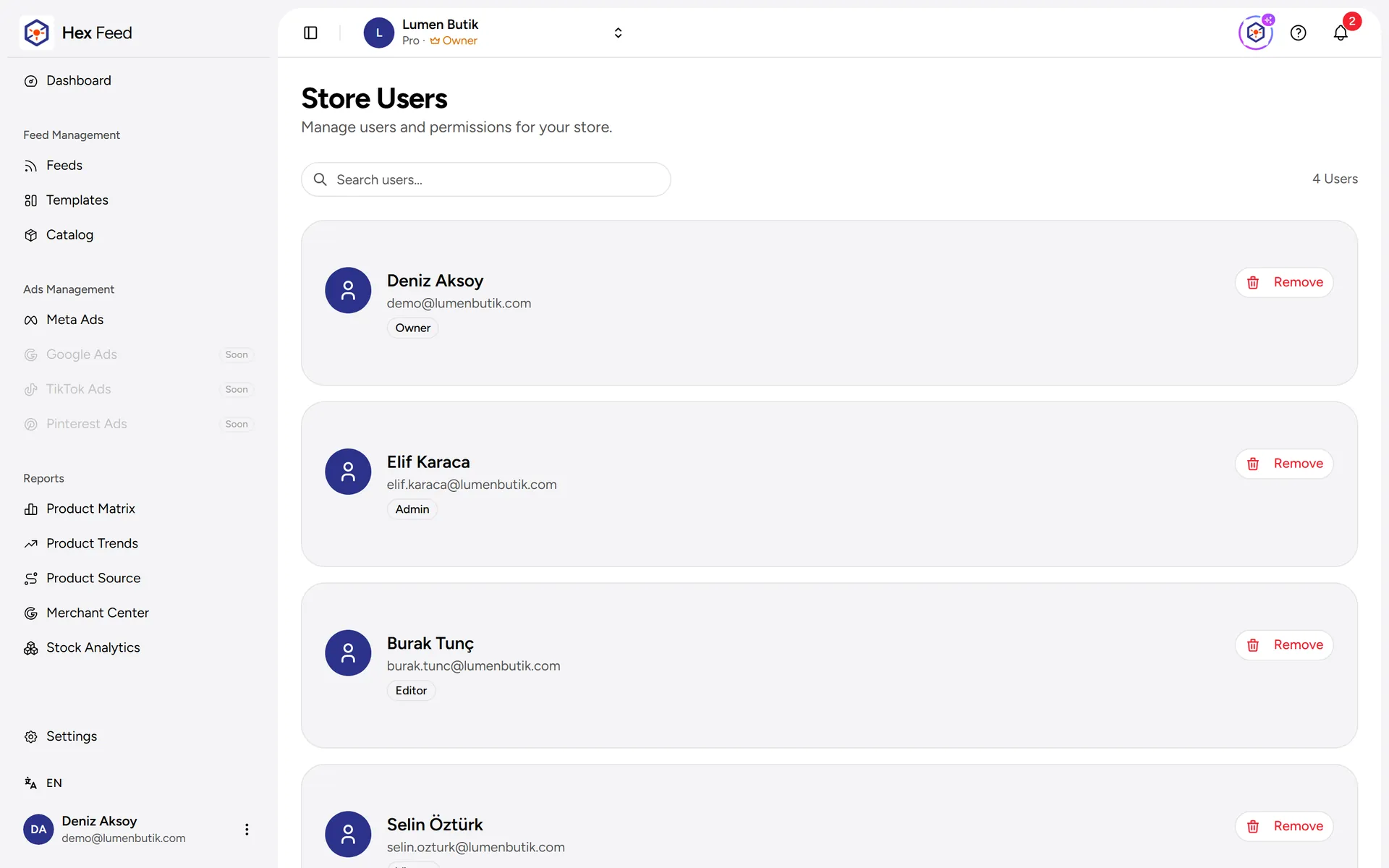
Multi-store management
Multiple stores are managed from a single account; you switch between stores from the top menu.
Try it with your own store
Use every feature with your own products for 14 days. If you get stuck during setup, our team will help.